Best Practices to Manage Discontinued Products in your Ecommerce without hurting SEO
- Category :
- Ecommerce Business Ideas

The E-commerce industry has been growing rapidly in the last few years. The continuous increase in online retailers and customers makes e-commerce a highly competitive domain. Make just one small mistake, and your competitors can benefit from it. This is why you must be alert. You must use the SEO best practices to rule the SERP game.
This blog will help you to find :
Impact of discontinued products on your SEO
Discontinued products on your website are a crucial part of your e-commerce SEO. The products might be permanently discontinued or temporarily out of stock. Nevertheless, it always makes a big difference to your SEO performance. You must address these discontinued products. Otherwise, you might end up losing your valuable customers and money too.
In contrast, if you can properly handle the discontinued products, you can manage SEO rankings and Increase your online store sales. In this blog, you can learn about the best practices for discounted product pages. It helps not only retain your hard-earned SEO position, but you can also give it a boost.
Best practices for permanently discontinued products
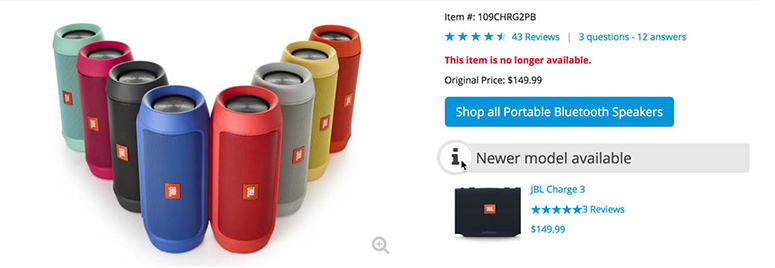
Permanently discontinued products refer to the ones that won’t ever sell on your online store again. There are a few things you can do to ensure that such products don’t affect your SEO and user experience. Below are three practical options.
-
404 pages
It can be disappointing for customers when they land on a page, and the product is not available. Thus, it’s best to create a 404 page for permanently discontinued products. It’s even better to provide customers with a custom 404 page. It mitigates frustration among customers, and they might consider buying related products from your website.
-
301 redirect to an existing product
The discontinued product page should have a clear message that says, “This product is no longer available. Here is a similar product.” You can redirect the customers to the most relevant product in your store. 301 redirect pages can help you reduce the redirect chains. It also helps you retain the benefits of a high-traffic product page.
-
301 redirect to parent category
You should be displaying a clear message on the discontinued product page. It would tell people that, “The product X is not available. Please take a look at other similar products as below.” Since product categories are less likely to change as compared to products. So, this option is easier than redirecting customers to another distinct product.
Best practices for temporarily unavailable products
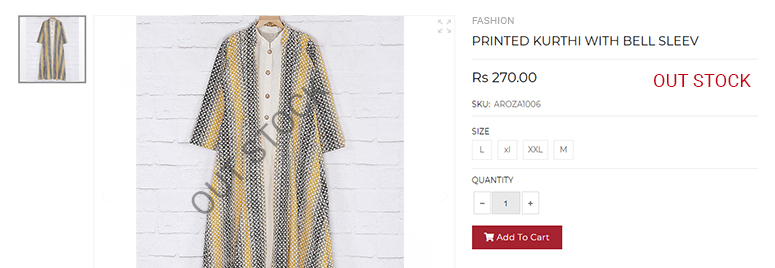
There are many things you can do to deal with out of stock or temporarily unavailable products. You can take the visitor’s details. And when the product becomes available, you can notify them. Below are three effective ways to address out of stock product pages.
-
Keep the page up and running
When the product is likely to be available again, consider keeping the page live. Of course, you need to make some modifications to it. It must reflect that the item is currently not available.
-
Provide information
Besides telling visitors that the product is out of stock, it’s essential to add some valuable information. If possible, you should include a timeframe of when the product will be back. You can give customers an option to join the waitlist. It also helps to remove the ‘add to cart’ button.
-
List comparable products
When visitors realize that the product they want is no more available, the bounce rate to your site may increase. Now, you can display closely related products that may cater to the user’s requirements. It motivates purchases and reduces bounce rate too.
No Longer Products
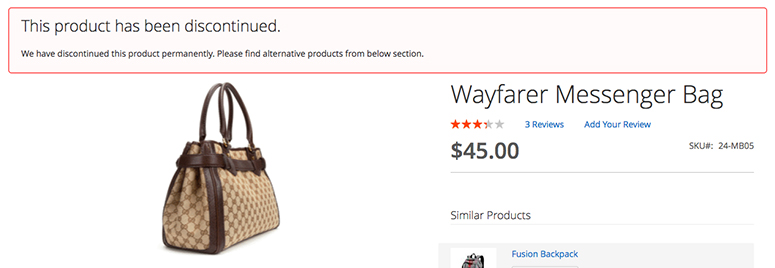
An out of date product typically means you no longer sell that particular model. You might be selling a newer or advanced version of the same item. The latest item is likely to have better features and fixed issues. But, you should note that many people might still be using the older product. And thus, the product page remains valuable.
There might be many reasons to keep the page up even if the product is out of date. The product page might be providing useful information to users. The product might have attracted significant conversions in the past. Or that product page might be top-ranking in the SERPs. If your page sounds anything like that, you must maintain it.
There are three things you can do here to improve the user experience.
-
First, add necessary information which tells that product is not available. Include the date if the product is likely to be available for sale again.
-
Secondly, link a newer version of the item on the product page. Or you can recommend related products.
-
You can move the item to a special category that only contains discontinued products. This way, people can learn about the product in the future. And your page won’t lose any traffic.
What can you do with valuable expired product pages?
You might no longer sell a particular product. But that product page might have brought immense value to your business. It might be getting a lot of organic traffic. Or you might have numerous quality backlinks to that page. In such a case, a 301’s redirect is the best way to retain the page’s link equity.
You also need to keep user experience in mind before removing product from online stores. It would be annoying to redirect users without any intimation. So, please display a message informing visitors that the product is not available for sale anymore. But, the new products on the page may fulfil your needs. You may also redirect the page to a sub-category page, as it’s less likely to get removed.
Keep your sales records updated
When you are discontinuing a product, you are likely to make modifications to your website. But it’s equally essential to update those changes in your back end. Yes, you are no longer selling a particular product. But that doesn’t mean you should erase it from your records and sales history. All these records are super helpful, and you should maintain it carefully.
In the future, you may launch a similar product. In that case, you will have great insights from the product you were selling previously. It can give you helpful data like how many products got sold, the profit margin, and so on. Therefore, you must maintain all the sales records of a discontinued product.
All things considered
Discontinued product pages can affect your sales and SEO performance by large. You may have permanently discontinued products or out of stock ones. You can follow the best practices mentioned above to retain the SEO position using ecommerce product listing team easily.
When dealing with such pages, keep three things in mind: crawl budget, SEO value, and user experience. When you put more emphasis on these values, your SEO visibility will keep on improving.

Intellect Outsource offers seamless ecommerce management services, including bulk ecommerce product data entry & product upload, online store development, virtual assistants, complete product catalog management, online store backend operation, and many more. We are here, ready to start discussing how to help you succeed in the ecommerce business. Ready to work with us?
Get regular ecommerce news directly in your inbox and link with hundreds of ecommerce entrepreneur.