5 Things Every eBay Seller Must Know
- Category :
- Ecommerce Business Ideas
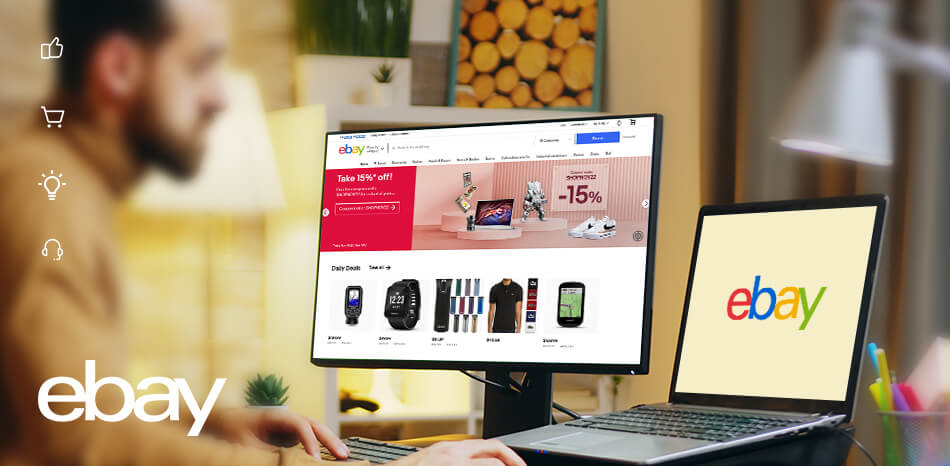
eBay is a gateway or stepping stone to the eCommerce business, which many online sellers and entrepreneurs use. As per Statista, there were around 138 million active buyers on eBay in Q2 of 2022. By selling on eBay, you can generate decent revenue and leverage the experience to expand your eCommerce business. It doesn't matter what category you fall under; there are a few things to know before selling on eBay.
eBay Seller Center describes the selling process as simple as listing, shipping, and receiving payment. But there is more to it! eCommerce SEO is something you will eventually learn about. In addition to boosting your SEO rankings, you must take several other steps to offer excellent customer service. Read on to find out how to sell on eBay successfully.
What is eBay, and how does it work?
A popular online shopping website, eBay specializes in consumer sales and auctions. Online merchants also utilize it extensively as a channel for selling their products. eBay is available in many countries. You can find products available in your local area if you enter your zip code, and you may also search for products available in other countries.
The eBay eCommerce shop allows sellers to display all their products in one location. Compared to single eBay listings, they look more like traditional online stores.
Using eBay shops, businesses can customize their web pages to communicate their brand more effectively. Clicking on the red door icon next to the seller's user ID will take you directly to the seller's eBay shop.
eBay Shops are the best way to start an eCommerce business on eBay. The eBay storefront builder makes it easy for sellers to customize their storefronts.
Managing all your eBay listing and its optimization is not a challenging task, but Virtual Assistants can help you get the best out of your eBay store by helping you increase your eCommerce sales.
Get our experienced team to run your eBay store now
Find the simples way to tackle the complexity of selling online with Intellect Outsource.
Get your free quote now !eBay Pricing Plans
Whether a business or a casual seller, you can grow your business with eBay Store subscriptions with the right tools and benefits. eBay selling fees are nominal, and the charges include other benefits too. eBay has five pricing plans that are as follows:
-
Starter Store
This is ideal for starting an eBay store with a few products and for those who want to brand their business and promote it through a storefront. You can opt for fixed-price or free auction listings. An annual subscription charges $4.95 per month.
-
Basic Store
As the name suggests, this is a basic plan that gives you access to listing basics categories for your listings. A quarterly coupon for eBay-branded shipping supplies and free listings are just a few benefits you will enjoy in this plan. An annual subscription charges $21.95 per month. You will get free fixed-price listings and free auction listings in this plan.
-
Premium Store
This plan provides you with substantially more zero-insertion listings if you have a wide product range. An annual subscription charges $59.95 per month. You will get free fixed-price listings and free auction listings in this plan.
-
Anchor Store
If you're a high-volume eBay seller with an extensive product catalog or run a business that would benefit from dedicated customer support. An annual subscription charges $299.95 per month. Free fixed-price listings and free auction listings are also available here.
-
Enterprise Store
This plan is for enterprise sellers with more catalogs to display. The charge of this plan is $2999.95 per month.
Steps on how to start an eBay Shop?
Below are the steps to becoming an eBay seller.
Step 1:
Select "My eBay," which is available on top of most eBay pages.
Step 2:
Navigate to the "Account" tab.
Step 3:
At the bottom of the pop-up menu, click "Subscriptions."
Step 4:
Select the eBay store level that you want under "Available Subscriptions" and click "Subscribe."
Step 5:
The next screen will allow you to select your subscription level.
Step 6:
Enter basic details like name, category, and information about your shop. Review and submit the details.
Best Selling Items on eBay
With basic market research, you'll easily be able to identify the most profitable categories on eBay. The strategy is to identify best selling items on eBay, understand the demand-supply gap, and the techniques that eBay best sellers use. Make the right sales by listing the best-selling products and following other famous business moguls in the eCommerce domain.
Here are the top categories based on the most searched products on eBay. To generate sales, traffic, and the total amount of products sold, you need to understand categories such as international sales and best-selling products. Here are categories that drive better sales on eBay:
- Clothing and Accessories
- Health and Beauty
- Fitness Related Items
- Jewellery
- Pet Supplies
- Mobile Phones and Accessories
- Camera and Photos.
5 Essential Tips for Selling on eBay
You can market your eBay store in many ways; some aren't worth the effort. In reality, many people spend days of labor and thousands of dollars without making a sale.
Use these eBay optimization ideas to make the most out of your time and money. You may use the ones that suit your needs; not mandatory to use all of them.
-
Items Pricing
Your shoppers will compare prices with all eCommerce listings. Instead of competing on price with other sellers, choose a price that will compete throughout the web. If you can't find an exact match, base your price on similar items if you sell collectibles or other unique items.
-
Auction
Among the advantages of eBay, you can sell either by fixed price or auction, but you cannot interchange these choices. These types work with all your eBay payment methods.
It would be best if you used auction-style when selling rare or unique items, such as sports cards or Pokemon cards. The same principle applies to all commerce where demand outweighs supply, including eBay.
It's best to use a fixed price if you are selling common goods that are easy to find elsewhere.
-
Return Policy
Additionally, eBay sellers have an advantage over Amazon because, unlike Amazon's rigid return policy, eBay lets them decide how long their return window is.
Although it may seem like a good idea to impose draconian policies to discourage returns, data suggests the opposite. 17% more conversions were observed for a 30-day return policy than those with a 60-day return policy, while listings with a 90-day return policy had 34% more modifications.
-
Effective Product Listings
A crucial sales tool is your product listing. Shoppers are more likely to click on it if it is better, which ultimately leads to more sales. The quality of your product photos is crucial to the success of your listing. Especially on a platform like eBay that features many pictures, that's what shoppers naturally look at first. There is a lot of consumer psychology that goes into creating a good listing that converts. It is often recommended that outsourcing your eBay product listing is worth it!
Your product descriptions help the buyers know about your product, its features, quality and other parameters that will determine the chances of conversion.
-
Product Images
Shoppers confident about what they're buying are more likely to purchase if their images are clear and their angles and layouts are efficient. Image optimisation is very important as it is a direct element that provokes decisions. Set product photos that can stand out on the search result page.
Pros of Selling on eBay
If you own an eBay business, you are incentivized to learn more about eBay than just the basics. Those who are willing to try selling on eBay can achieve a lot. It's important to remember that selling on eBay has advantages and disadvantages. Let's first look at the benefits of selling on eBay.
-
The audience you can cater to is vast.
One of eBay's key advantages is the enormous number of people who can view your items - 138 million users were active on eBay in the second quarter of 2022. You will expose your products to these interested searchers via eBay listings, as people often begin their search for goods on eBay.
-
eBay sales can lead to new customers
Make a sale on eBay and let your customers know about your online store. It may lead to them visiting you directly and purchasing from you, which is excellent for building repeat business.
-
It's possible to sell anything
Even though you can't sell restricted or illegal items on eBay, you can buy and sell anything on eBay, including old books. Whatever your area of interest is, eBay has something for you. The list goes on and on with books, apparel, electronics, handcrafted goods, automobile parts, etc.
-
Selling on eBay can result in higher income
It takes an average eBay vendor about $34,710 annually to make $800 per week. Depending on your experience, you can set a limit. Selling items on eBay is not difficult; you can make more money from a thing if you sell it in an auction format rather than directly to a consumer.
-
Selling on eBay is easy.
It may take 30 minutes to get your first listings up and running if an eBay store is the best way to grow your business. It is necessary to create an account if you do not already have one. As a seller, you receive up to 50 listings for free, but if you do not have a store, you must pay for each additional item. Another feature that is worth mentioning is eBay seller help provided by eBay support. In case you come across any difficulty while selling on eBay, their support will help you with the resolution.
Cons of Selling on eBay
A merchant's ability to become an eBay merchant depends on several factors, including the number of targeted consumers, the likeability of the product, and the cost. You can find a list of the major cons of selling on eBay here.
-
Restrictions and rules on eBay
Several regulations govern eBay's business, and you have limited control over certain aspects, like return policies. Managing specific issues, such as refunds, returns, customer service, and more, requires following eBay's rules.
It is also important to remember that eBay sets regulations to guard its sellers and buyers against fraud and scams. It will help if you become fully informed to run your business close to your ideals while still adhering to the regulations, norms, and conditions.
-
eBay's seller fees are a common con
eCommerce businesses refrain from expanding to eBay because of the fees involved. Especially if there is a great deal of competition for specific items, you may not see a benefit from selling them.
There's a clear framework and even a fee calculator on eBay's help site to help you understand how much fees you'll have to pay when selling on eBay. Selling on eBay entails several extra costs, such as storage fees. Each transaction also comes with seller costs.
-
PayPal is required
eBay sellers must use PayPal. Buyers trust payment services, and you will lose sales if you do not provide them. Paypal provides a simple and safe transaction that protects both parties in the event of fraud, theft, or damage.
Understand what Paypal does for vendors and buyers by reading the seller protection policy.
-
Your listings are limited in control.
Marketplaces do not assist sellers; they are always concerned about themselves first. Rather than focusing on sellers, eBay focuses on the items in each listing.
You can limit the amount of branding you may put on each item you sell, but violating the guidelines for listing your items may lead to an account ban in extreme cases. At any moment, the platform can delete your listing, it is recommended that you read the guidelines for listing before listing your products or services.
Why Outsource eBay to Intellect Outsource?
Managing your eCommerce business may seem to be a tedious task. Especially if you are managing everything from product listing, optimization, transactions, inventory management, and dispatch. It is recommended that you outsource the tasks that drive more sales. Outsource eBay product listing to Intellect outsource to have the following benefits:
- eBay Product Data Entry Services
- Customized Product Description Writing
- Product and Competitor Research
- Image Refining and Enhancement
- Expertise in Product Upload Services on eBay
- eBay Inventory Management
In addition to the above benefits, Intellect Outsource offers a free trial, 24/7 support with 99.99% accuracy, and efficient product data experts.
Conclusion
Selling on eBay is a process that demands precision and time-bound updates. While focusing on doing what actually matters for your business, it is always ideal to outsource your eBay management to the experts.
Experience the difference. Get a free trial!
FAQ
The fashion category is the most searched product on eBay.
Your eBay account must be active for at least 90 days to become a Top Rated Seller. Within the last 12 months, you have made 100 or more sales to US buyers and generated $1,000 or more in sales. Three or fewer defects from unique buyers, with a defect rate less than or equal to 0.5%.
eBay Sellers earn an average of $37,350 annually as of Oct 12, 2022.
The total sale price includes the item price, handling charges, the shipping service, and sales tax. Each order charges $0.30 plus a percentage of the total sale amount.
Some of the ways to improve sales on eBay are:
- Promote your listings on the eBay promotion campaign
- To attract views, use keywords
- Ship fast and free (when possible)
- Removing negative reviews is essential

What are you waiting for ? Let us start your project
We offer the opportunity to develop your ideas and will work on it to create the perfect solution with our expertise.

Intellect Outsource offers seamless ecommerce management services, including bulk ecommerce product data entry & product upload, online store development, virtual assistants, complete product catalog management, online store backend operation, and many more. We are here, ready to start discussing how to help you succeed in the ecommerce business. Ready to work with us?
Get regular ecommerce news directly in your inbox and link with hundreds of ecommerce entrepreneur.